
Algebra clicks with spaced practice and clear explanations. Here’s a simple study approach, and how Algebra 1 Mastery supports it.
Start with short sessions
Long study blocks sound productive and usually aren’t. Ten focused minutes with clear feedback beats an hour of half-attention. The goal is returning tomorrow, not finishing a marathon tonight.
Make the next step obvious
People quit when they’re lost. Good practice tools show what to try next, explain mistakes briefly, and keep the interface calm enough that effort goes into the skill, not the UI.
Where Algebra 1 Mastery fits
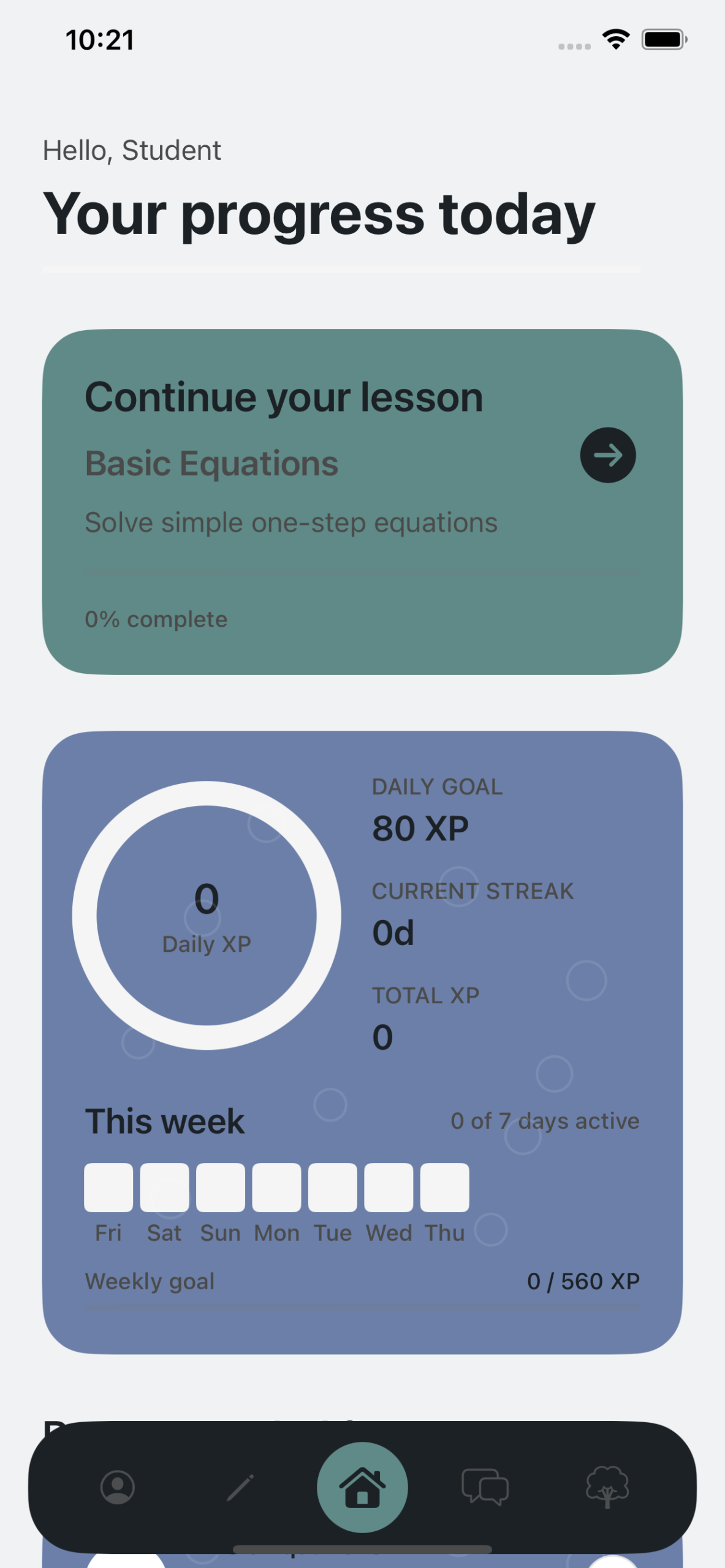
Algebra 1 Mastery focuses on structured practice and clear explanations so students can build confidence one skill at a time, without drowning in busywork.
Build Algebra 1 confidence with structured practice and clear explanations, for students and self-learners who want steady progress.
View Algebra 1 Mastery or download it on the App Store.
A simple weekly rhythm
- Practice a little most days instead of cramming once
- Review misses before starting something new
- Stop while you still have energy to reopen tomorrow
FAQ
Is this only for Algebra 1?
Yes, the app focuses on Algebra 1 skills and practice.
Can self-learners use it without a class?
Yes. It’s useful for independent review as well as classroom support.
How is it different from Stellar Math?
Algebra 1 Mastery is scoped specifically to Algebra 1 practice, while Stellar Math is a broader AI tutoring experience.
Further reading: Apple Education.